Task Creation
Before creating tasks, ensure you have first added your billing profiles and proxies. To create tasks select the your task group, then select the task creator at the top right of the home screen.
A new window will pop up to configure your task.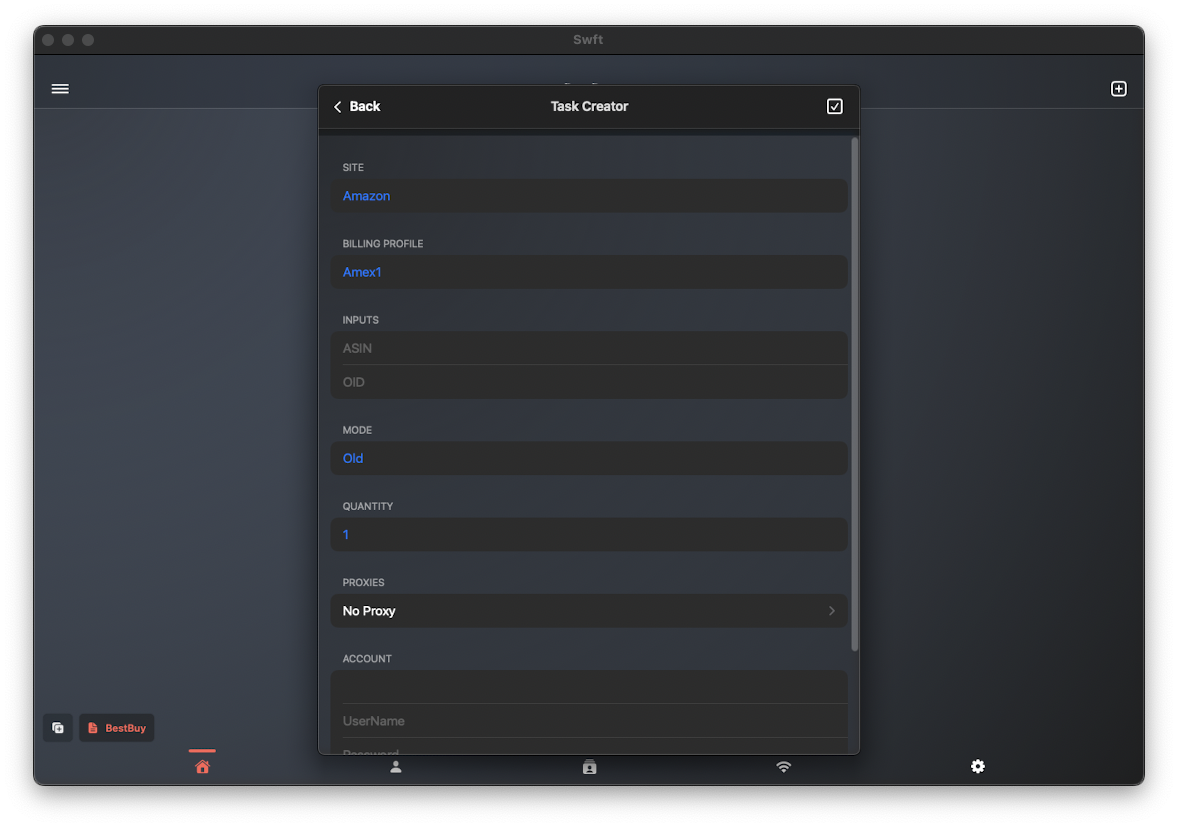
Task Options
From here you will select and enter your:
- Site: Select the site from the available list.
- Billing Profile: The billing profile that will be used to checkout.
- Inputs: This is the product identification code. It is usually found in the URL or product description.
- Mode: Different checkout methods may be available for different sites.
- Quantity: The amount of stock the task will attempt to checkout.
- In-Store: If a zip code is needed for checkout, enter it here to select a local store.
- Proxies: Select the proxy group to be used for the task.
- Account: An account may be required for checkout on selected sites.
- Description: The task description field is used to input any text that will reference the product you are purchasing.
Some fields may not be required for certain sites, however, always review our Discord channel for recommend setups.